Module 01
Merge from folders or selected files
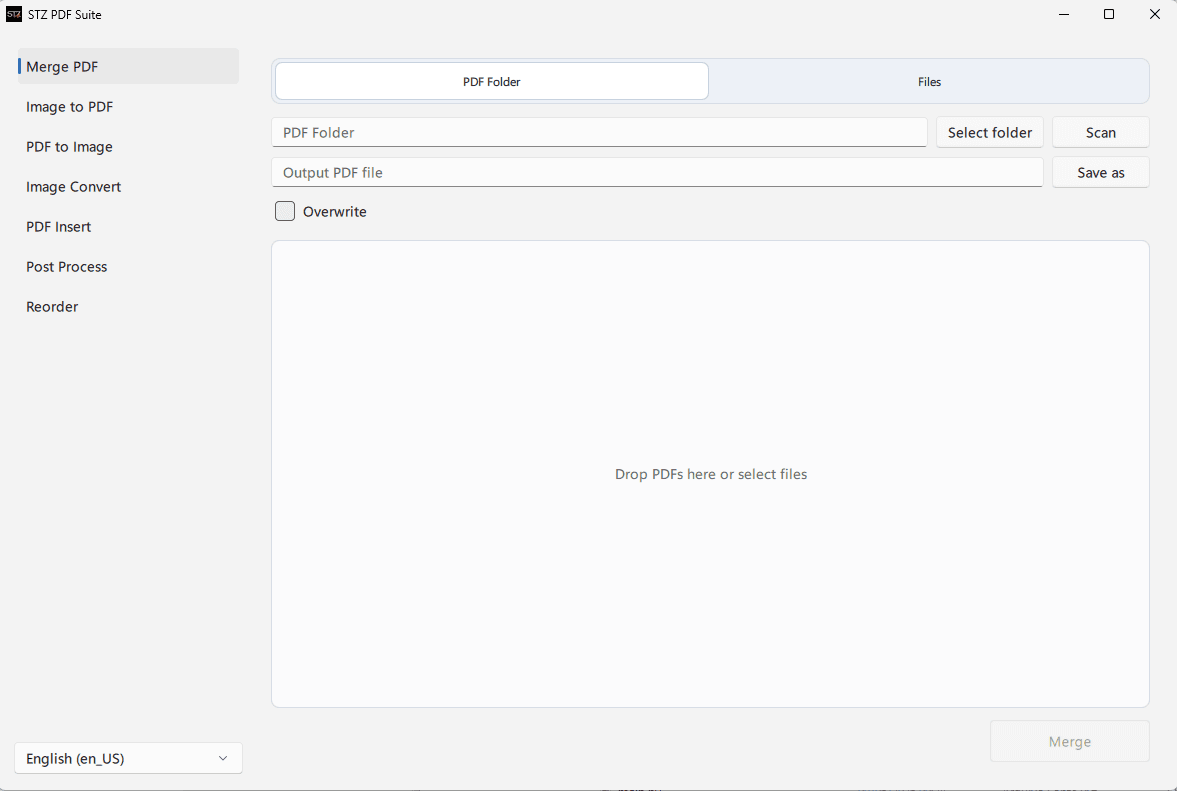
The Merge PDF module accepts a full folder or selected files, lets you define the output PDF, enable overwrite, and build the list with drag-and-drop ordering before merging.
Windows desktop app that brings PDF and image workflows into a modern Qt Quick/QML interface: merge, reorder, convert, insert pages, and batch-process files.
The Merge PDF module accepts a full folder or selected files, lets you define the output PDF, enable overwrite, and build the list with drag-and-drop ordering before merging.
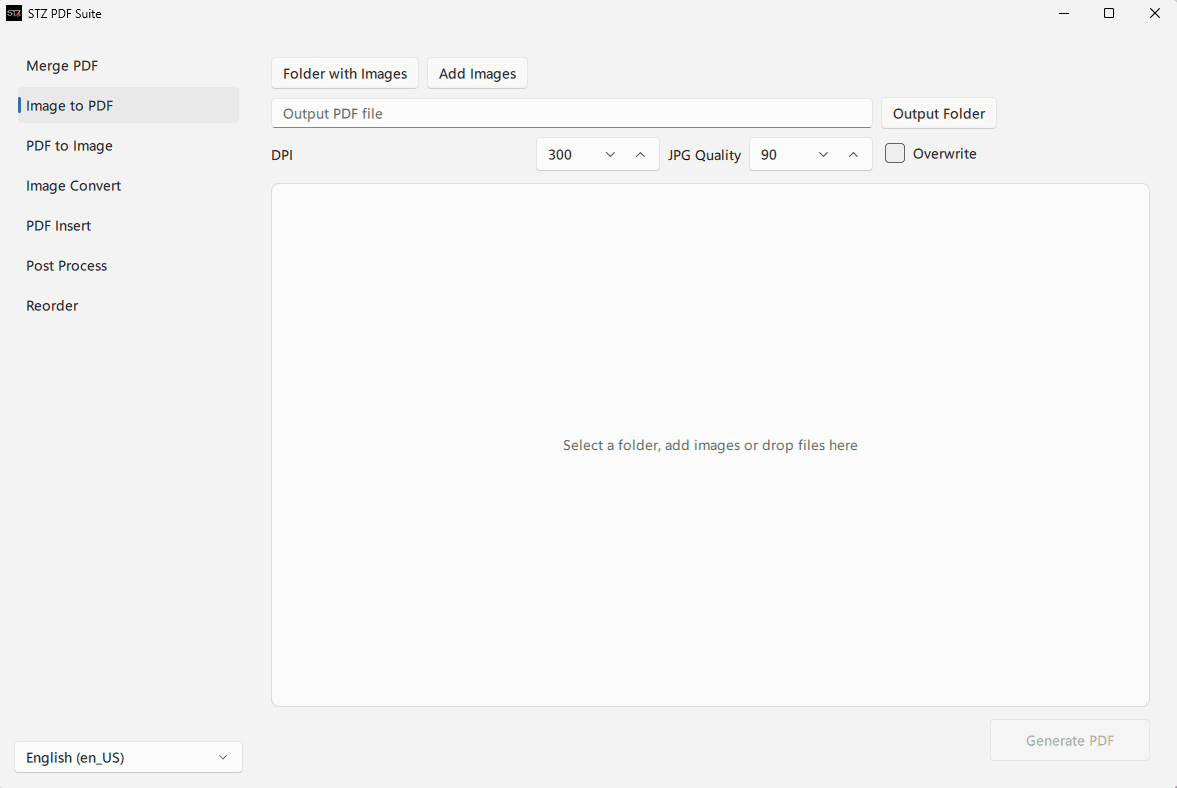
Image to PDF turns folders or selected images into a PDF document, with DPI, JPG quality, output folder, and overwrite controls when needed.
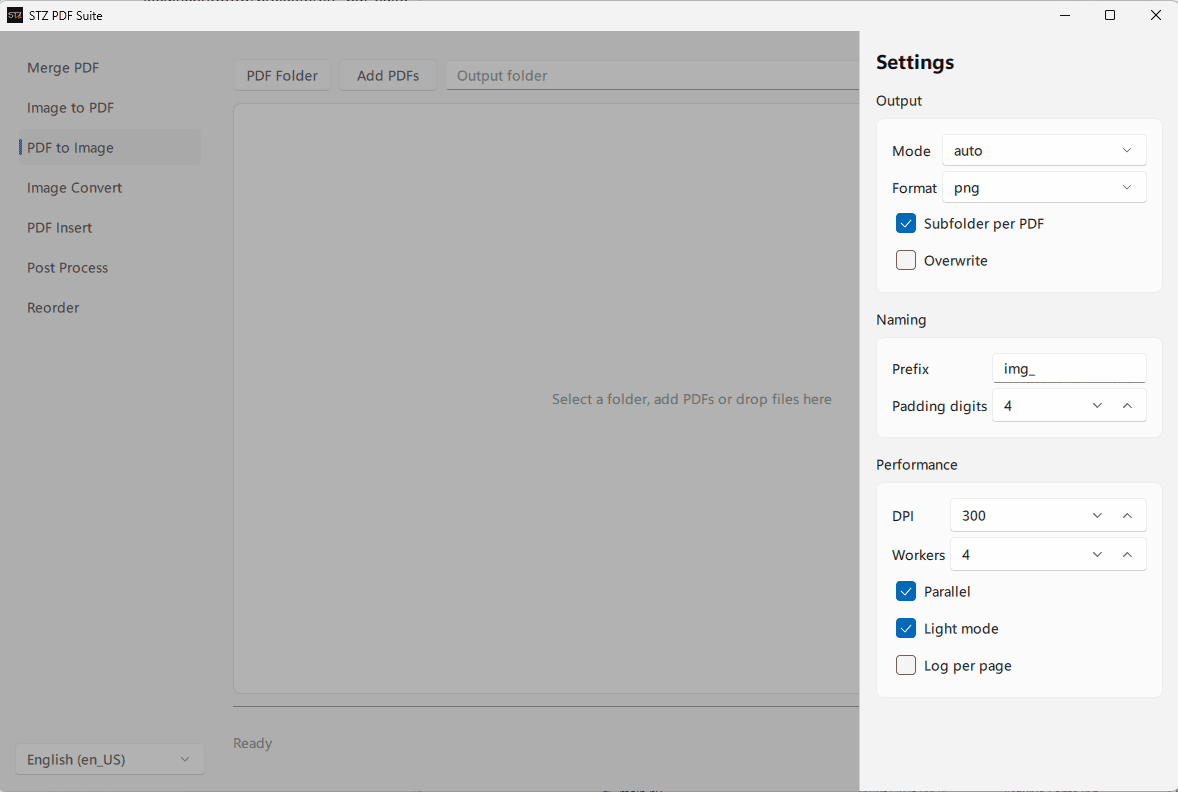
PDF to Image exports pages to formats like PNG, with per-PDF subfolders, naming prefix, digit padding, parallel workers, DPI, and light-mode processing.
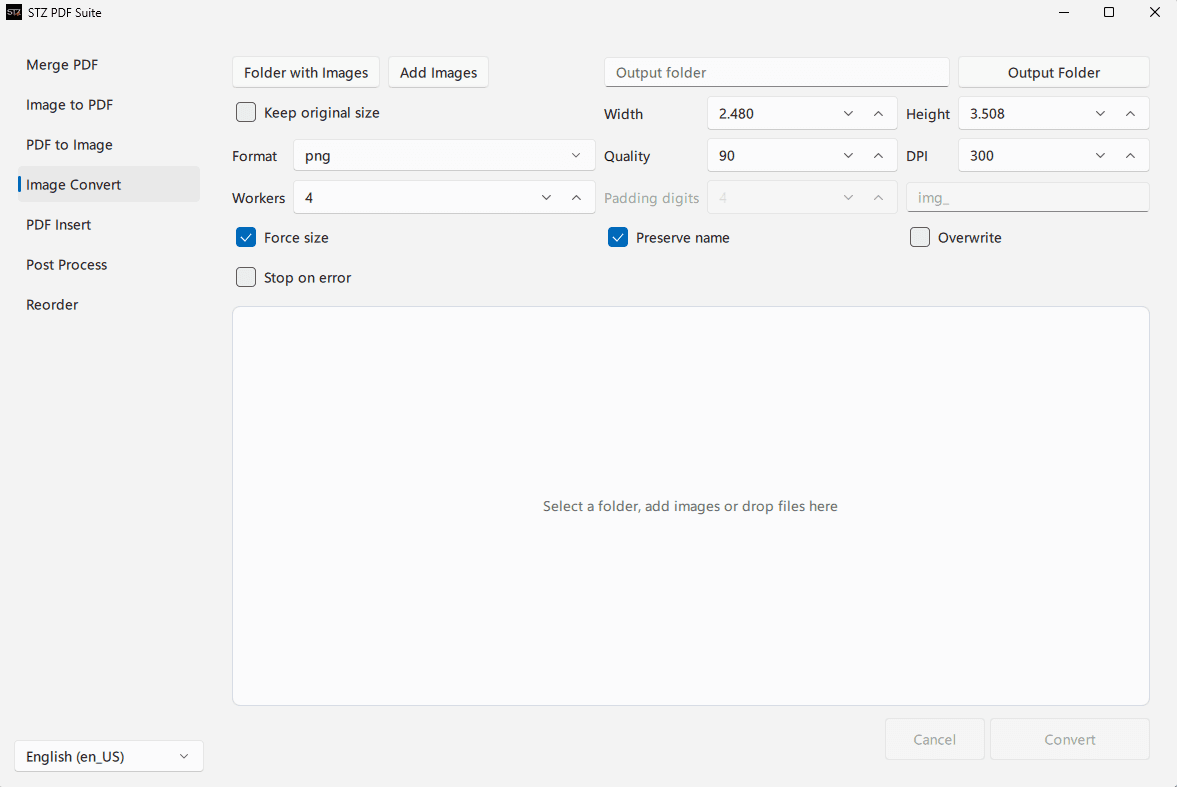
Image Convert converts images between formats, preserves names, can force dimensions, and exposes width, height, DPI, quality, workers, overwrite, and stop-on-error controls.
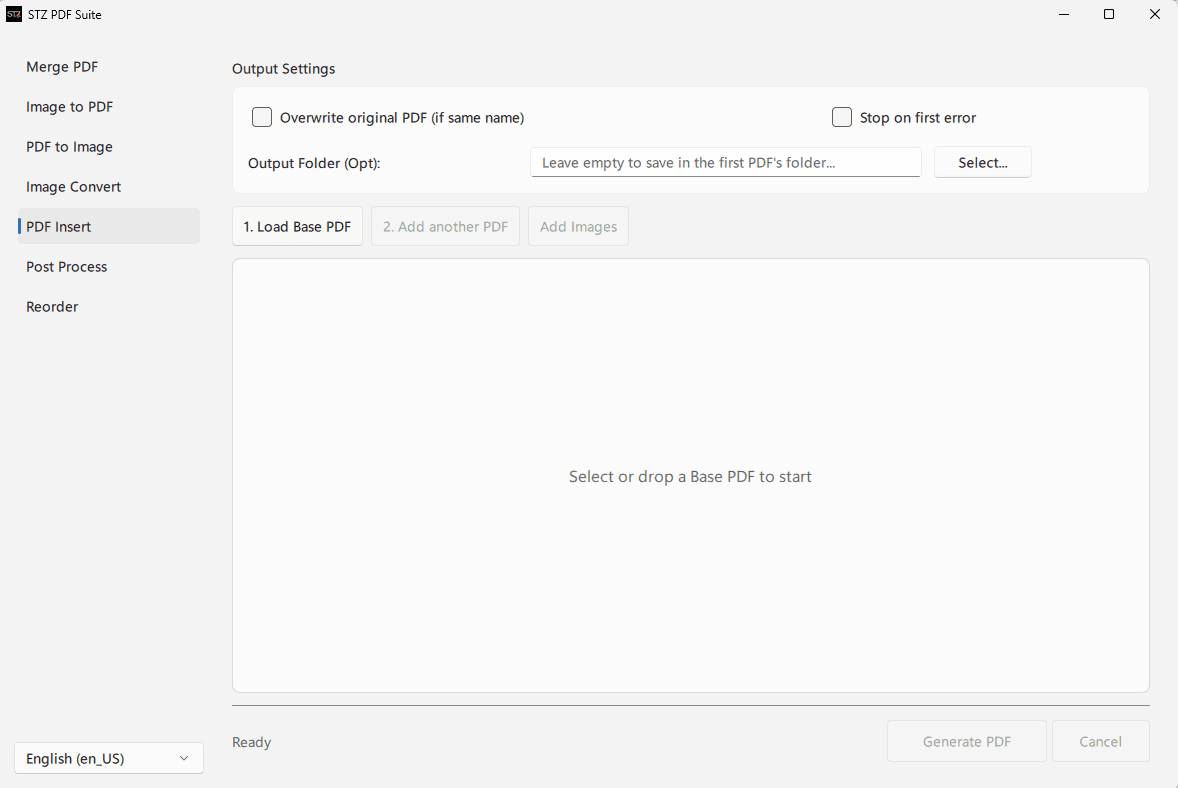
PDF Insert starts from a base PDF, then adds another PDF or images, with an optional output folder, overwrite control, and a stop-on-first-error option.
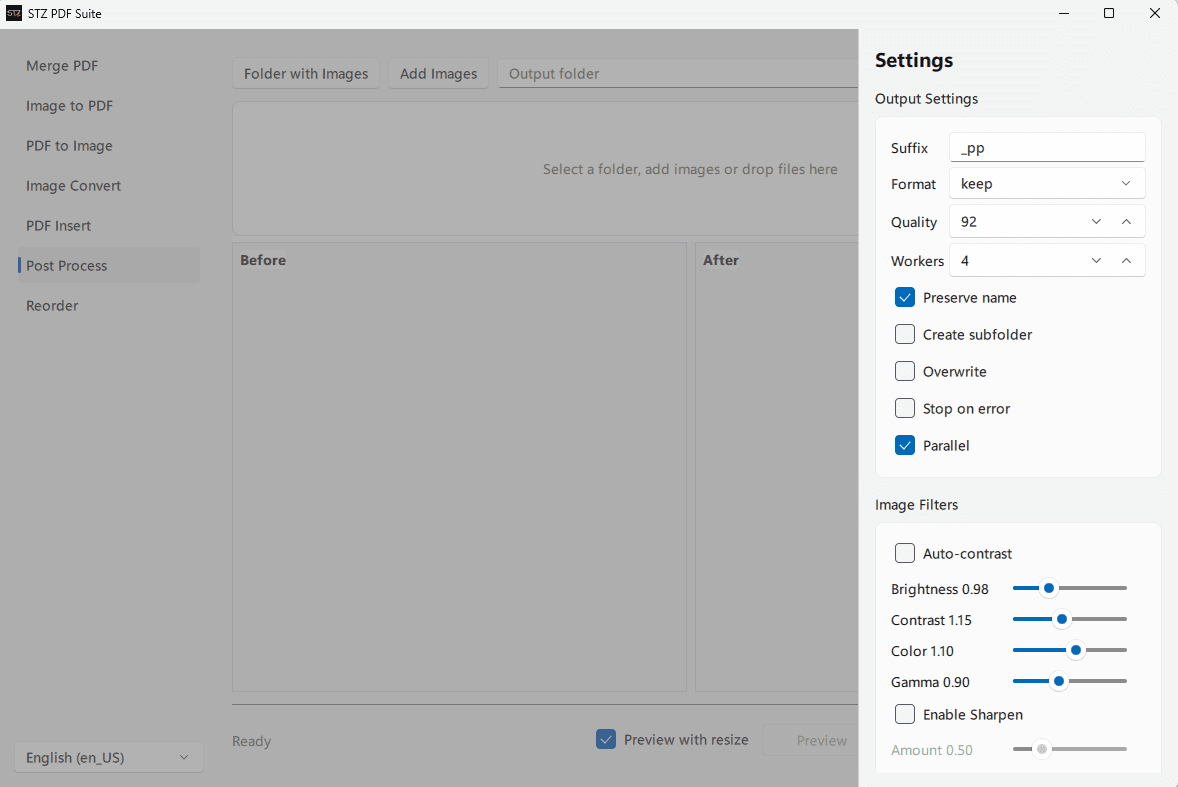
Post Process applies brightness, contrast, color, gamma, and sharpen adjustments while showing before/after previews plus quality, worker, naming, and parallel-processing controls.
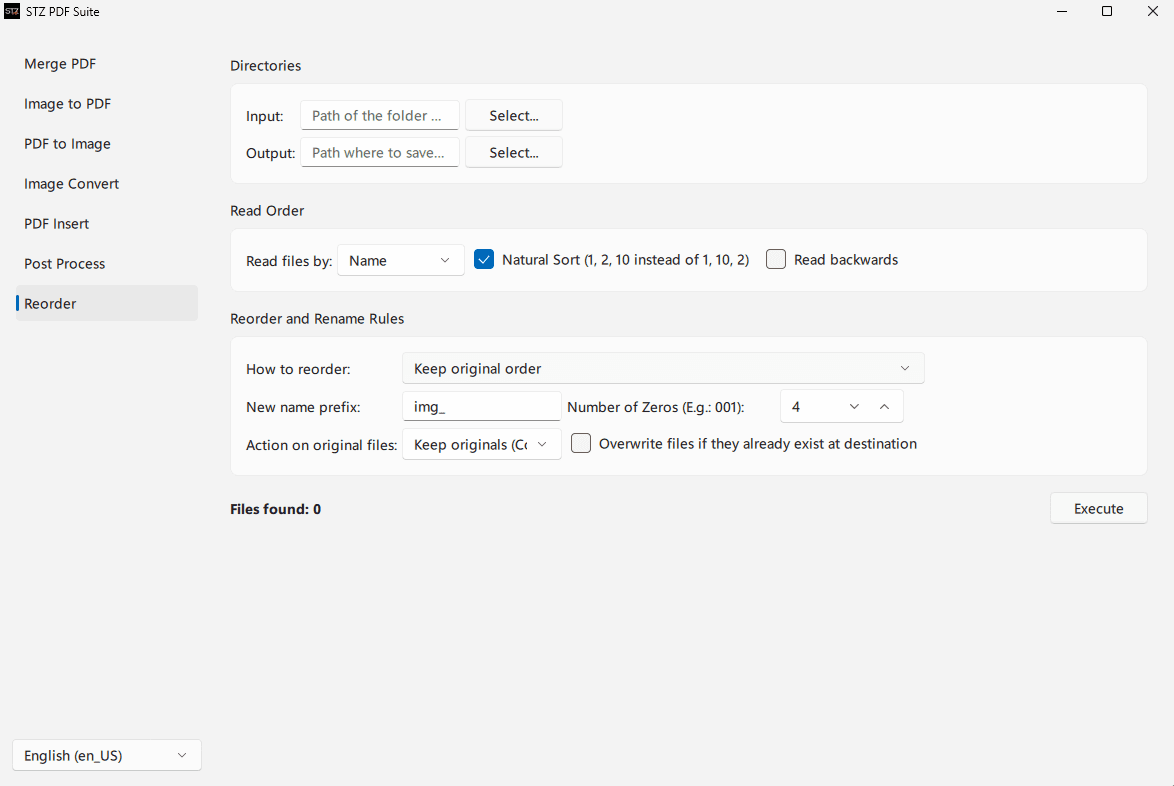
Reorder reads input and output folders, sorts by name with natural sort or reverse reading, then applies prefixes, digit padding, and rules for keeping or replacing original files.
Combine multiple PDFs with drag-and-drop visual ordering before generating the final file.
Reorder PDF pages from individual files or folders while keeping the workflow fast.
Convert PDF pages to images, images to PDF, and images between supported formats.
Insert pages into existing PDFs without switching tools for common document operations.
Run post-processing on images and PDF pages with progress, cancellation, and clear organization.
Qt Quick/QML interface with FluentWinUI3 styling and standalone Windows packaging.