Resumes on its own
Internet dropped or VPN switched? The download waits and continues where it stopped.
Download manager for Windows
STZ Downloader splits every file into up to 16 connections, resumes on its own when the network drops and catches downloads straight from your browser. Light, local and open source.
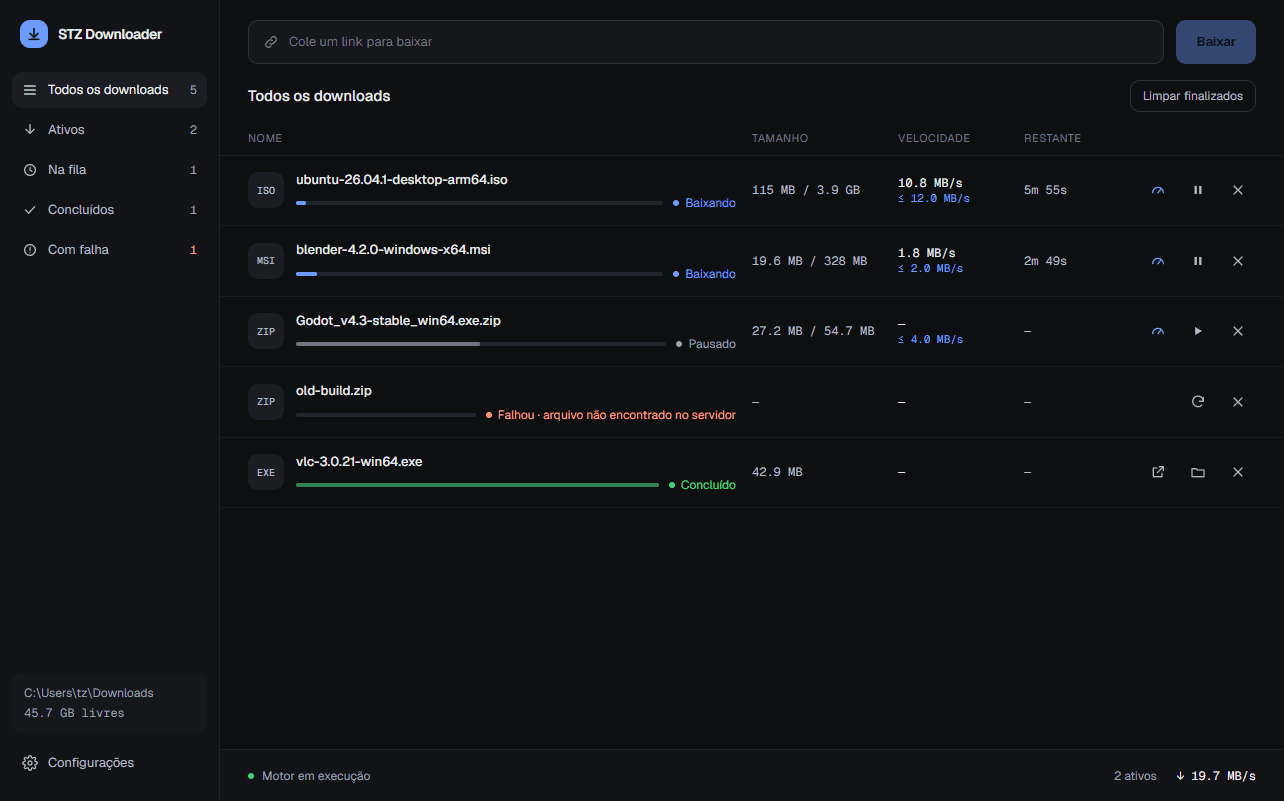
Instead of pulling a file through a single channel, the aria2 engine downloads several pieces at once and joins them at the end. On servers that allow it, you feel the difference right away.
How it works
Click any download link in Chrome or Firefox, as usual.
The browser pauses it and hands it to the app instantly, with cookies and headers.
Up to 16 connections, speed limits and a queue.
The file lands in your folder. One click opens it or shows it in Explorer.
Features
Internet dropped or VPN switched? The download waits and continues where it stopped.
Cloud drives, forums and private portals work: the extension passes your session along.
Tells you when a new version is out and installs only if the SHA-256 matches.
Keep one file slow and the rest fast, or cap everything to game in peace.
Copied a file link? The app offers to download it. Optional, off by default.
English, Portuguese, Spanish, German and French, following Windows.
No account, no telemetry. The extension only talks to the app on your computer.
Inside
Filters by state, live speed and time left.
Install
Download the installer (about 26 MB) and run it. No admin rights needed.
Get it from your browser’s store. It connects to the app by itself.
From now on, your downloads go straight to STZ Downloader.
No sign-up. One click already helps.
What do you want to see first?